
Import and go
Open a Word document, PDF, RTF or text file. Bookcraft finds your chapters, footnotes and scene breaks for you.
For iPhone, iPad and Mac
Import a Word document and Bookcraft finds your chapters, sets every page like a professional interior designer, and exports a print-ready PDF, an EPUB ebook and a Word file. No account. No upload. Your writing never leaves your device.
Free to try with every feature, on your device or in your browser. Pay only when you're ready to publish.
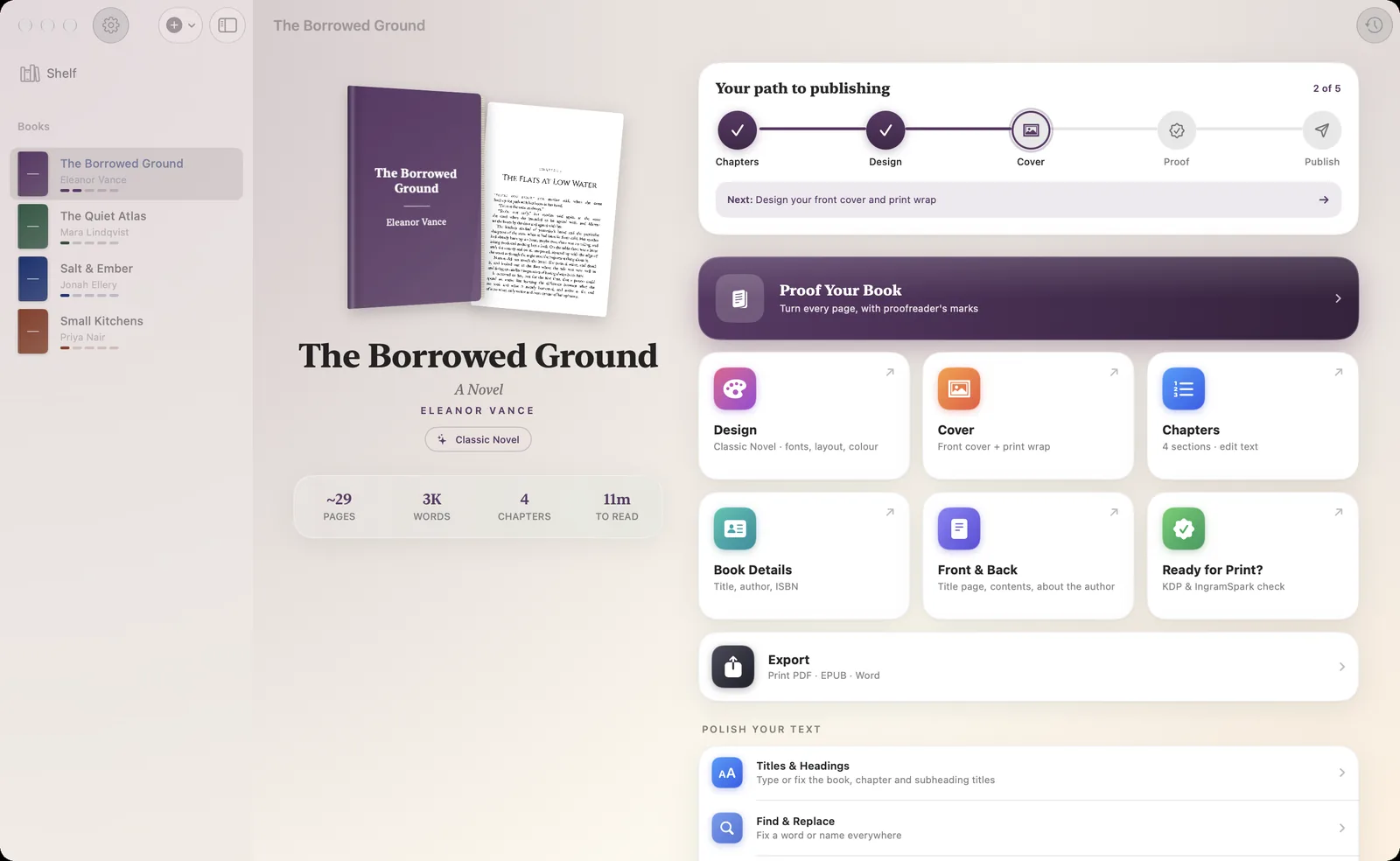
Everything between your draft and your book
Open a Word document, PDF, RTF or text file. Bookcraft finds your chapters, footnotes and scene breaks for you.
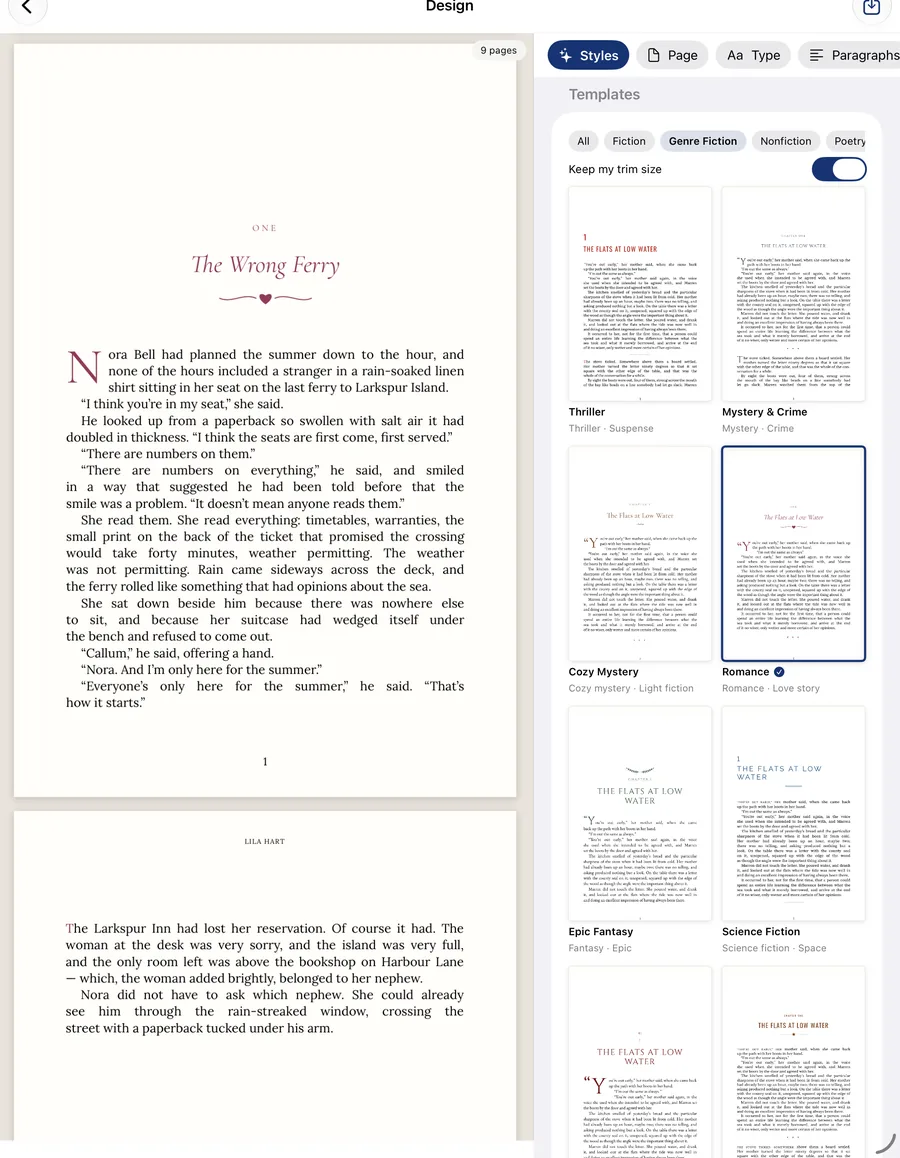
Literary fiction to cookbooks, thrillers to poetry. Browse them as real typeset pages, then change any font, size or ornament.
Running heads, drop caps, chapters on right-hand pages, and widow and orphan control. The details readers notice when they're missing.
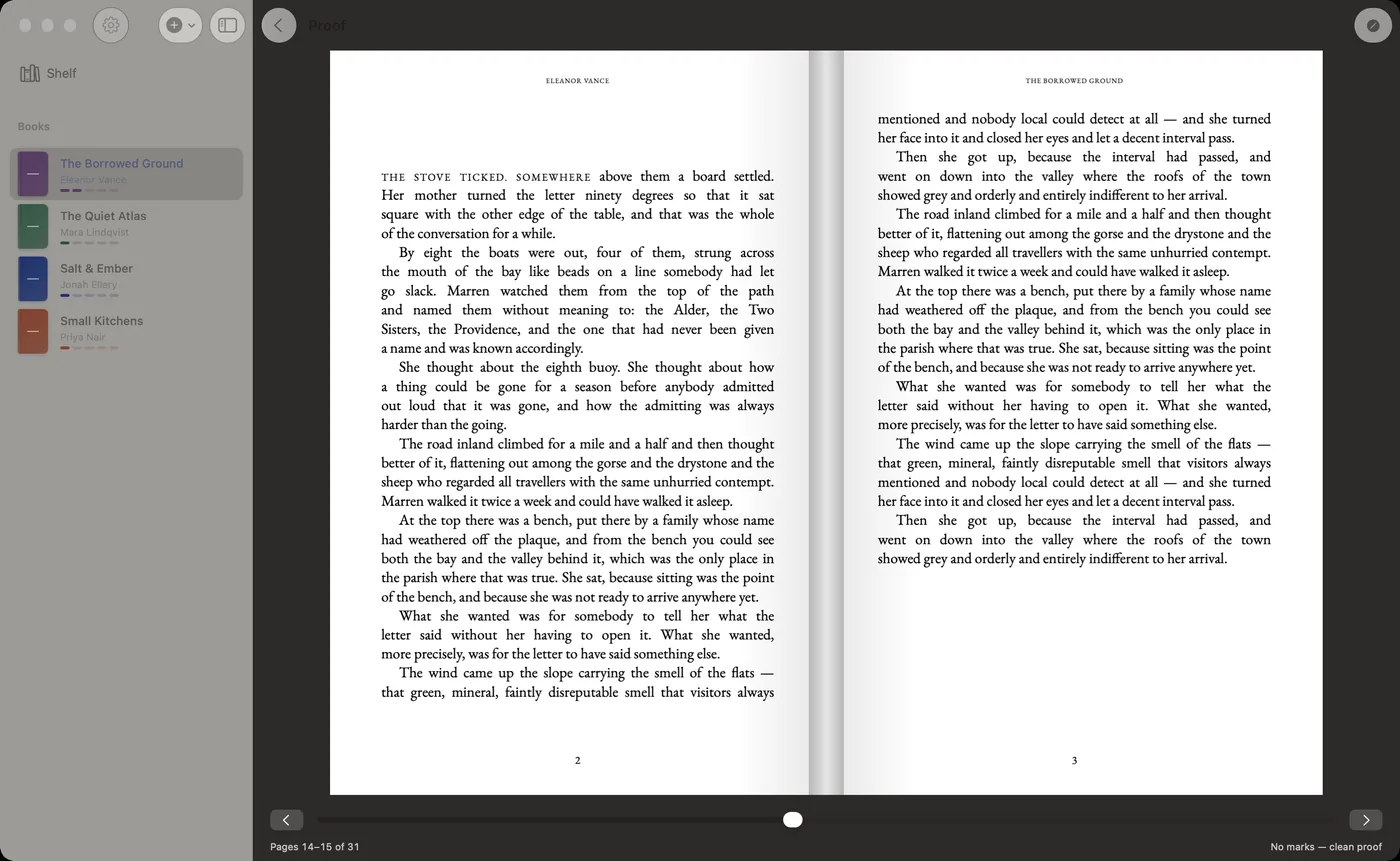
Turn two-page spreads with a swipe. Proofreader's marks flag widows, orphans and loose lines, each with a fix.
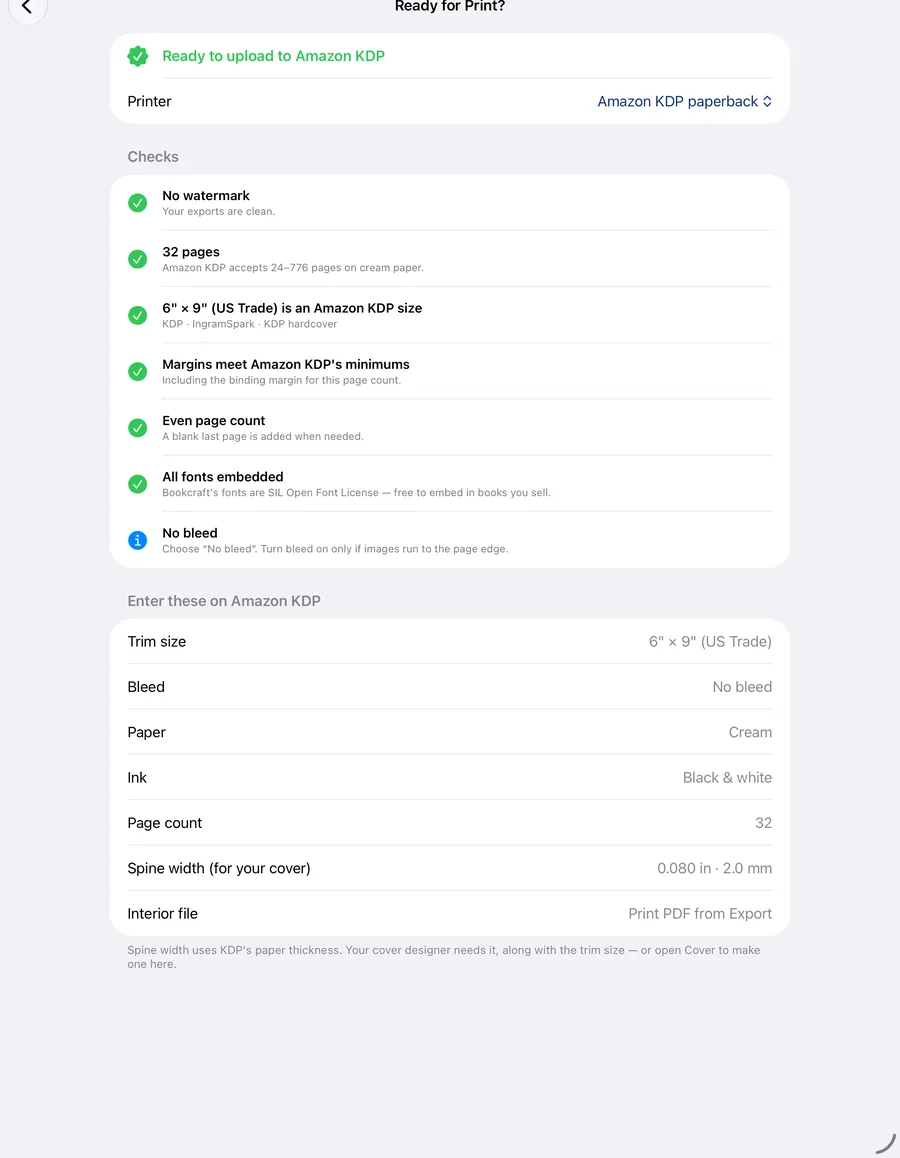
One tap tells you whether your book will pass Amazon KDP or IngramSpark, and gives you the exact settings and spine width to enter.
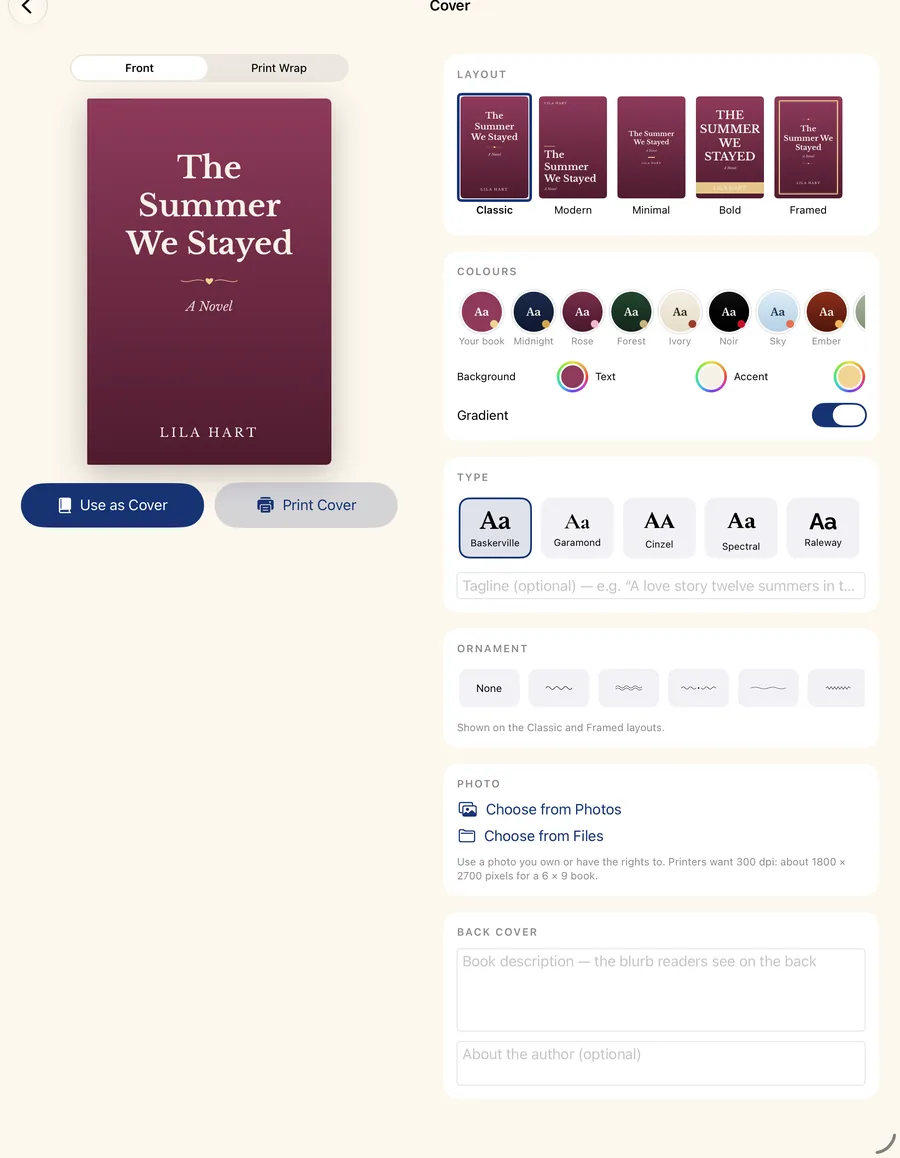
A typographic ebook cover and a full print wrap, back, spine and front, sized to your book's real spine width.
See it before you print it
What you see is exactly what gets exported. The same engine draws the proof and the print file, so the page you approve is the page your printer gets.
Simple pricing, no subscription
Bookcraft is free to download. Every feature works before you pay. Free PDFs carry a large “Bookcraft Preview” watermark across every page. Remove it per export, or for good.
$0
Format, proof and check your whole book.
$9.99per export
Pay only when you publish.
Limited-time founding offer
$149.99once
Unlimited clean exports, for every book, forever.
Why a founding offer? Bookcraft is a small independent startup. Founding lifetime purchases fund the app's development, and this price is only available for a limited time.
Purchases in the app are made through the App Store; in the browser, through Stripe. Prices are in US dollars and may vary by country.
No iPhone, iPad or Mac? Bookcraft runs in your browser too: same engine, same templates, same prices.
No account, and no upload. Bookcraft typesets your book on your own device. Your manuscripts, books and fonts stay there, and in your own iCloud if you turn on sync. Bookcraft collects no data.
Everything. Import, all 47 templates, every design setting, the proof view, the cover designer and the print check all work for free. Free PDF exports carry a large diagonal “Bookcraft Preview” watermark on every page, so you can check your book before you pay.
A clean export is $9.99 and covers one export without the watermark: a print PDF, an EPUB or a Word file. Lifetime is a single $149.99 payment for unlimited clean exports of every book you ever make. If you plan to publish more than a few files, Lifetime pays for itself.
No. Neither option is a subscription. Lifetime is a one-time purchase, and it stays with your Apple ID. Restore it on a new device from Bookcraft's settings.
Bookcraft's Ready for Print check tests page count, trim size, margins, fonts, image resolution, bleed and ink against each printer's rules. Most problems fix themselves with one tap, and you get the exact settings and spine width to enter on the printer's site.
Bookcraft runs on iPhone, iPad and Mac, and it's one download from the App Store. Optional iCloud sync keeps your books on all of them. There is also a browser version for Windows, Linux and Chromebooks, with the same typesetting engine; your manuscript stays in your browser and only the pages being rendered to PDF are sent to the server.
Yes. Choose from a curated library of book typefaces, all licensed for books you sell, or add your own .ttf and .otf files.

Import your manuscript tonight. See it typeset in minutes.
Download Bookcraft free